
SHRED A BILLION: Finish the Demo and Reach the Vacuum Ending
Check the demo's documented ending condition, understand its limited vacuum experience, and avoid confusing it with permanent full-game tool unlocks.
What is the supported demo completion condition?
According to the November 3 release announcement, the preview has an ending: clear all the vault’s bundles, then vacuum the final heap. It is not described as buying every planned full-game tool first.
Use that published sequence to assess your session:
- Continue the demo’s money-clearing objective with the tools currently available to you.
- Check for remaining bundles rather than treating a missing full-game tool as a required demo upgrade.
- Once the final heap becomes available, follow the instructions shown by your installed build for its vacuum experience.
The announcement does not document every bundle’s location, a particular button sequence, or the exact UI that appears at the transition. This is a supported objective sequence, not a map verified through a complete playthrough.
Why can you not buy a permanent vacuum earlier?
The demo store explanation distinguishes its short ending experience from the vacuum’s larger full-game role. The full game is still unreleased as checked on November 7. Do not follow a supposed permanent-vacuum price or unlock level unless a newer source actually documents it for your build.
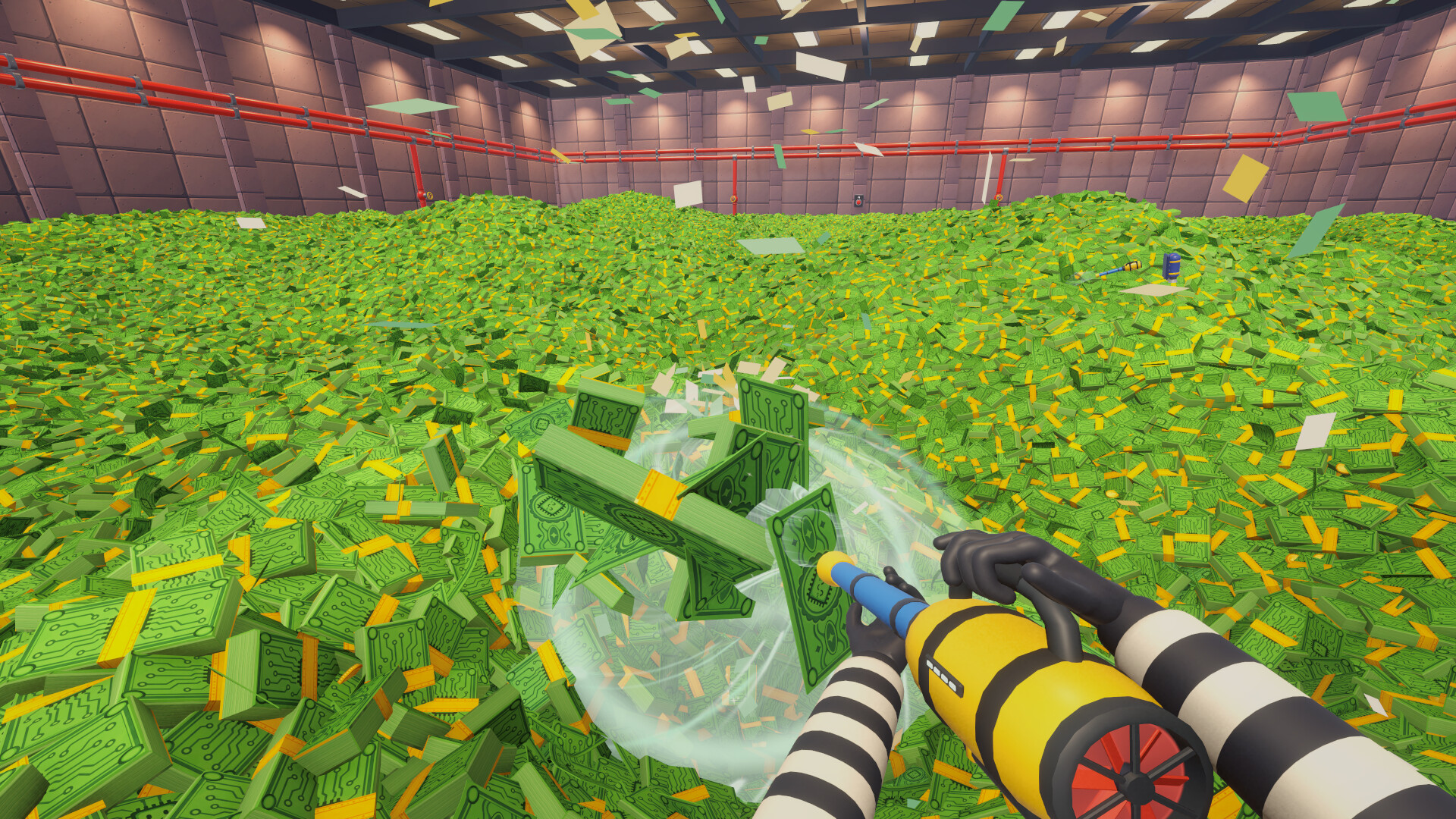
Official Steam promotional image, ImSoTiredStudio / LightTriadGames. It illustrates the advertised tool; it is not evidence that permanent vacuum progression is available in the current demo.
For the larger feature boundary, see starting the demo versus the full game. For the tools and branches the demo actually names, use hands, bucket, boosts and relics.
Is there definitely a 60-second vacuum timer?
The October 27 preview announcement described a 60-second vacuum trial. The newer release announcement instead describes clearing bundles and vacuuming the final heap without repeating that duration. We cannot confirm the exact current timer from those later notes.
Follow your installed demo’s display if it shows a timer. The developer’s separate 30–40 minute estimate describes the overall demo experience; it is not a deadline for reaching the ending.
What if you cannot finish clearing the vault?
Separate a known issue from an unknown trigger. The November 7 patch addresses money trapped at the lobby stairs and says existing saves are repaired automatically. Allow Steam to apply pending demo updates before assuming that save needs to be reset.
If money or progression still appears inaccessible, record where you are, what remains visible and the last action that changed the objective. Use F11, the pause menu’s REPORT A BUG, or the developer’s current Discord link in the patch guide. Do not delete progress to test an unverified route. A generic new-area notification or the platform above the radio does not by itself prove you have found the Golden Reserve.
The Demo goal checker can distinguish ending-vacuum access, planned full-game tools and unresolved area questions. Progress from the preview will not carry into the full game; see the save boundary.
Evidence checked November 7, 2026. The exact ending transition, remaining-bundle positions and current timer have not been verified in an installed game.
Related Articles
guides
SHRED A BILLION Demo Co-op: Player Count, Chat and Limits
Resolve the demo's conflicting co-op descriptions with dated developer announcements, and check party size, chat and session-planning limits.
guides
SHRED A BILLION Demo: How to Start and What Is Available
Open the correct free Steam demo, distinguish it from the November full release, and check which tools and features you can actually use now.
guides
SHRED A BILLION Demo Update: Stuck Money and Bug Reports
Match your symptom to the November 7 demo fixes, preserve existing progress, and report unresolved jetpack, stairs or new-area problems clearly.
Was this helpful?
Thanks for the feedback!